


How Neogenic handles your information in the patient portal
This notice is for people who use the Neogenic patient portal on the web at portal.neogenic.ai.
1. Who we are
Scality Limited (company HE459172), trading as Neogenic, Attikis 3, City Residences 1, 6045 Larnaca, Cyprus.
For your portal account, we decide why and how your information is used. The law calls this the "controller". For the hand-over of reports from your clinic or lab, see section 6. For the pages that show your appointments, invoices, membership and messages, see section 6a.
Privacy questions and requests: privacy@neogenic.ai. We have not appointed a Data Protection Officer.
2. What the portal does
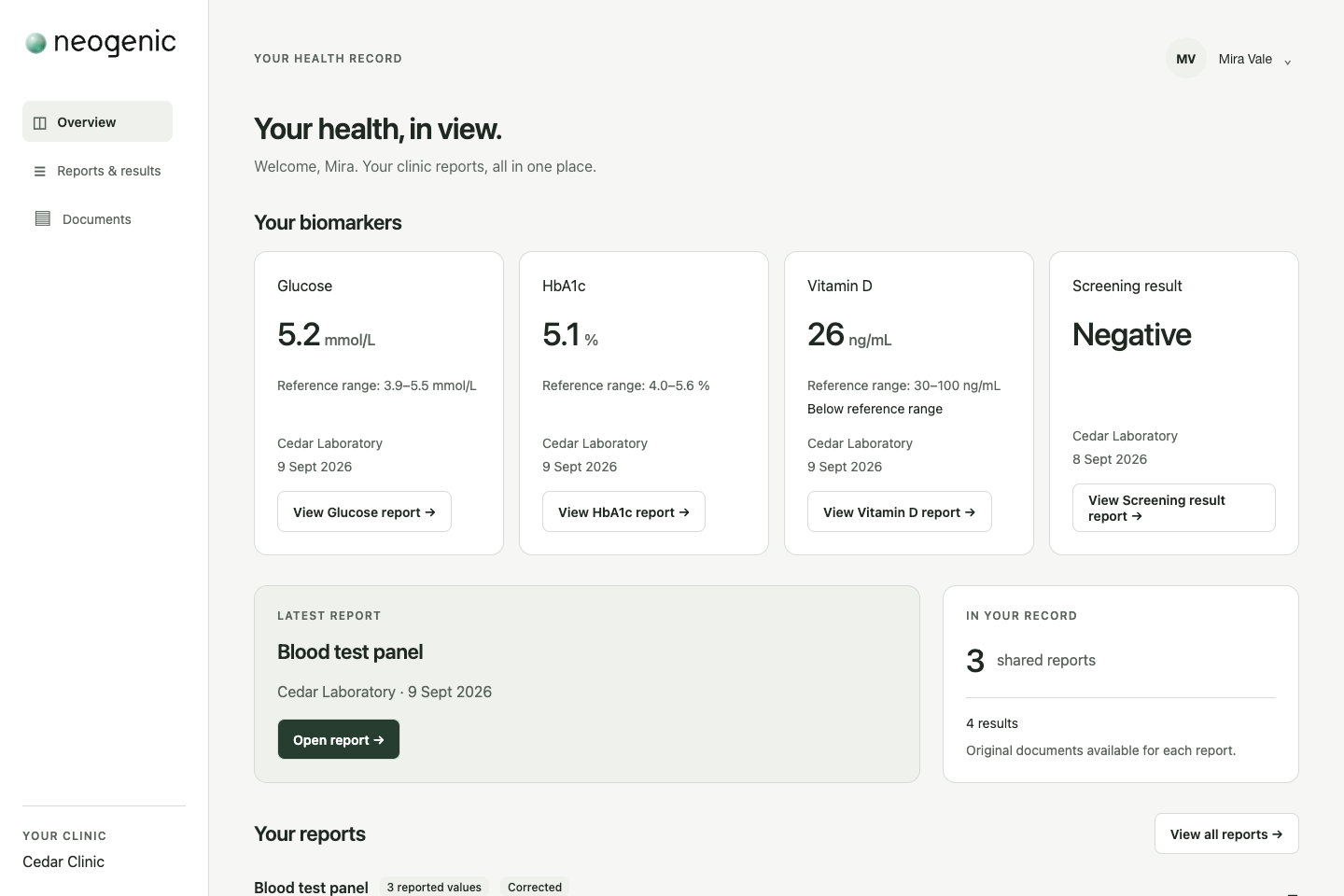
Your clinic or lab can invite you to the portal. When you accept, you can see the reports that the clinic or lab chooses to share with you, and open or download their original files. For lab reports in PDF, your browser reads the values, units, reference ranges and earlier results at the same clinic or lab from the PDFs your clinic or lab shared, to show them as a table and a chart. Neogenic does not store or receive these values.
You may also be able to use Neo, our AI assistant (section 2a). With Neo you can also see your appointments, invoices and membership, and send your clinic or lab requests and messages that you confirm yourself.
If you turn them on for your clinic or lab (section 4), portal pages also show your upcoming appointments, your invoices and your membership from that clinic or lab, and your messages with it. What you can do there depends on what your clinic or lab offers. You can cancel or move an appointment: you check and confirm each change yourself, and your clinic or lab is told. A cancellation takes effect at once; a move takes effect when your clinic or lab confirms it. If your clinic or lab does not confirm it, your appointment stays at its time, and we tell you by e-mail. You can also request a new appointment: you choose a service and a free time, check the request and confirm it yourself, and your clinic or lab confirms or declines it; we tell you by e-mail. You can open an invoice, and the receipt of a payment, as a PDF, and open the payment page of your clinic or lab when it has sent you one; you pay there yourself. You can ask your clinic or lab to pause, end or restart a membership; it decides and tells you, and the portal gives you a dated record that you asked. You can write messages to your clinic or lab and read its replies. Messages are not for emergencies. If you need urgent help, call 112 or your local emergency number.
You can add your own lab reports in PDF to the portal, if you allow us to keep them (section 3). It does not connect to a watch or a health app.
The records your clinic or lab keeps about you belong to it. Its own privacy notice applies to them.
2a. Neo, the AI assistant
Neo is an AI assistant in the portal. You choose whether to use it, and Neo is always shown as an AI. Your clinic or lab decides whether Neo is available to its patients.
What Neo can do:
- answer questions about using the portal;
- tell you the opening hours, address and contact details of your clinic or lab, its services and prices, and how to prepare for a visit or test, from what your clinic or lab publishes;
- explain in general terms what a test measures, from reviewed MedlinePlus texts. It never tells you what your own result means;
- show your upcoming appointments and free times, and help you request an appointment. You check and confirm each request yourself on a card; Neo never sends one on its own. Your clinic or lab confirms or declines it, and we tell you by e-mail;
- help you move or cancel an appointment. You check and confirm it yourself on a card, and your clinic or lab is told. A cancellation takes effect at once; a move takes effect when your clinic or lab confirms it. If your clinic or lab does not confirm it, your appointment stays at its time, and we tell you by e-mail;
- show your invoices, what you owe and your membership with its benefits, and open the payment page of your clinic or lab. You pay there yourself;
- help you write a message to your clinic or lab. You check and send it yourself;
- if you are connected to more than one clinic or lab, ask which one you mean.
Your lab reports: if you allow it (Settings → Neo and your data), Neo can, when you ask, list the reports your clinic or lab shares with you and open their original files for you, and read the lab reports you added yourself: it explains what a test measures, repeats the range printed by the lab, and says whether your value is within, above or below that range. It never says what a result means for your health.
What Neo does not do: it does not give medical advice, make a diagnosis, or tell you what a result means for your health or what to do. Your clinic or lab does that. Neo does not read the values in the reports your clinic or lab shares with you; it can only list them and open their files for you. Neo is not for emergencies: if you describe an urgent problem, it first shows you how to get emergency help.
Your permissions: before your first question, Neo asks whether you agree that what you write to it, which may include information about your health, and, when you ask, your appointments, invoices and membership and the information of your clinic or lab, are used to answer you and to prepare the requests and messages you confirm. You can take this back at any time in Settings → Neo and your data; your conversations with Neo are then deleted.
How an answer is made: your question, your recent messages in that conversation, and the information Neo needs to answer it (for example your appointments or invoices when you ask about them), go to our AI provider, Amazon Bedrock, in the European Union. Amazon may keep a short-lived copy of parts of the conversation so that the next answer is faster; the copies we set up end at most 1 hour after they were last used. It does not write your messages to lasting storage (except content its automated checks flag as child sexual abuse material, which it may keep to report it), does not use them to train AI, and does not share them with the maker of the AI model. We do not add your name or contact details. If you write them in a message, they are sent as you wrote them.
3. What we hold, and where it comes from
- Your account: your e-mail address, the time you confirmed that you are 18 or older, and the version and time of the agreement you gave when you created the account.
- Your name: if you set a name in Settings, we keep that first and last name with your account, to show it to you in the portal. If you have not set one, the portal shows the name your clinic or lab has on file for you (only if you turned the pages on for it): it fetches that name from the clinic's or lab's records each time and does not keep a copy.
- Sign-in records: our sign-in supplier records each sign-in and sign-out with the time, your account number and your e-mail address, and keeps its own records of sessions and sign-ups.
- Your session: while you are signed in, an encrypted record of your session. It holds the sign-in keys and, while a sign-in code is waiting, your e-mail address. After a session ends, we keep a list of ended sessions: the session number, your account number and the time of each sign-out.
- Sign-in codes: for each sign-in code we send, a coded form of the e-mail address it was sent to and the time, to limit how many codes are sent.
- Your connections: which clinics or labs you are connected to, when you accepted each invitation, the version of the connection text you saw, and whether each connection is active or has ended.
- Reports your clinic or lab shares with you: for each report, its title, its type, the name of the clinic or lab, where the report comes from and its date, when it was shared, its version and any correction note, and the original file's name, format and size with a fingerprint (checksum) of the file.
- The original file stays in the records of the clinic or lab. The portal fetches it each time you open it and does not keep a copy.
- The system of the clinic or lab records each time an original file is read.
- Appointments, invoices, membership and messages from your clinic or lab (only if you turned the pages on for it): the portal fetches them from the records of your clinic or lab each time you open a page, and does not keep a copy. The system of your clinic or lab records each time an invoice or receipt file is opened.
- Messages: the messages you send, the replies of your clinic or lab, and when you read a reply are kept in the records of your clinic or lab, not by us. A message can include information about your health if you write it.
- Your choice for the clinic pages: for each clinic or lab, whether you turned the pages on or off, with the time and the version of the wording you saw.
- Lab reports you add: the PDF file of each lab report you add, the values the portal reads from it (the test, the value, the unit, the range printed by the lab and the date), and your permission to keep them, with its version and time. When Neo reads one of them for you, a short record of that read (when, and that Neo read it), with no content.
- Neo: your conversations with Neo (your questions and Neo's answers); a technical record of each answer, with times, codes and counts but not the text; your permissions for Neo and each change to them, with the time and the version of the wording you saw.
- Your appointment requests, through Neo or on a portal page: each appointment request you prepare (the clinic or lab, the service, the time, the price and the version of the confirm text), and a short record of it with no name and no text. A change, cancellation, membership request or message you confirm, through Neo or on a portal page, is not kept by us: it goes straight to your clinic or lab.
- Records with counts only: for example, that an account was closed or how many reports were removed. They contain no health information.
- Technical logs: the portal service writes short technical lines that contain no name, e-mail address or account number.
- Network records: our hosting provider records the network address of each connection to the portal, for security. They hold no name or e-mail address.
- Undeliverable addresses: if an e-mail to you bounces or is reported as spam, our e-mail provider keeps your address on a do-not-send list.
Where it comes from: from you (your e-mail address, your choices, what you write and confirm, and the lab reports you add) and from your clinic or lab (your e-mail address in its invitation, the reports it shares, and, when you ask Neo or open a portal page, your appointments, invoices, membership and messages, its services and its own information).
You need to give your e-mail address to have an account. Without it, we cannot give you one.
4. Why we use it, and on what basis
A portal account can show that you are a patient of a clinic or lab, so the law treats it as health information. That is why we ask for your explicit consent.
- To give you your account and show you the reports your clinic or lab shares: to provide the service you asked for (GDPR Article 6(1)(b)), with your explicit consent (Article 9(2)(a)). You give it when you create your account and, for each clinic or lab, when you accept its invitation with "Connect".
- To show you your appointments, invoices, membership and messages on the portal pages, and to send the changes, requests and messages you confirm there: we do this for your clinic or lab (section 6a). For each clinic or lab, the portal first asks whether you want these pages, after your passkey, and shows nothing until you turn them on. This is your explicit consent (Article 9(2)(a)). You can turn the pages off at any time (section 9). We keep the record of your choice so that we can show what you agreed to (Article 7(1)).
- To keep the portal secure (sign-in records, sessions, technical logs): our legitimate interest in a secure service (Article 6(1)(f)). This is part of the account you agree to, and your explicit consent (Article 9(2)(a)) covers it.
- To keep the lab reports you add, and to let Neo read them, and list and open the reports your clinic or lab shares, when you ask: to provide the service you asked for (Article 6(1)(b)), with your explicit consent (Article 9(2)(a)): one to keep them, and a separate one for Neo. You give each one yourself, after your passkey.
- To give you Neo when you use it, including the requests and messages you confirm: to provide the service you asked for (Article 6(1)(b)), with your explicit consent (Article 9(2)(a)), given before your first question to Neo.
- To prove that an account was closed (counts only): our legal duty to erase and to be able to show that we did (Article 6(1)(c)).
- To answer your requests: our legal duty (Article 6(1)(c)). Where a request shows that you are a patient of a clinic or lab, we also rely on Article 9(2)(f), to establish, exercise or defend legal claims.
You can take your consent back at any time (section 9). Doing so does not affect what was done before.
We do not use your information for advertising, sell it, use it to train AI models, or make decisions about you by machine alone.
Neogenic does not give medical advice, and neither does Neo. Talk to your clinic or lab about your reports and what they mean for you.
5. Who can see it
- You, after you sign in with a code sent to your e-mail address.
- Your clinic or lab: when you accept its invitation, the clinic or lab learns that you accepted, together with the e-mail address you signed in with and your portal account number. It does not see your other connections. No other clinic or lab can see that you use the portal.
- Inside Neogenic: nobody opens your information except at your request or for a security reason. A small number of named people can reach the systems that hold it. Our internal AI assistants hold no key to it, and their own access is denied it. When one of them deploys a reviewed release of the portal that our director has approved, it works in a session with short-lived credentials that need multi-factor authentication and last at most 12 hours. In such a session it could deploy software that reads your information, so each session is checked afterwards.
- Your clinic or lab receives each appointment request, change or cancellation, each membership request and each message you send, through Neo or on a portal page, with what you chose. From then on it is part of the records of your clinic or lab. The people at your clinic or lab who may see your record there can read your messages and reply.
- Our AI provider (Amazon Bedrock), only to produce Neo's answer, as described in section 2a.
- Our suppliers in section 7, only as their agreements with us allow.
6. Reports your clinic or lab shares: who is responsible
When your clinic or lab shares a report with you, the report is handed over from the records of your clinic or lab into the portal. For this hand-over only, your clinic or lab and Neogenic are joint controllers. In short, our arrangement says:
- Your clinic or lab decides whether to share a report, which report and with whom, and makes sure it shares the right report with the right person. Its own privacy information tells you that it may share reports through the portal.
- Neogenic decides how the portal receives and shows the report. It keeps the link between the clinic or lab and the portal, and the portal itself, secure.
- Each of us has its own legal basis for its part. Neither of us uses the hand-over for anything other than showing you the report.
- You can use your rights against your clinic or lab, against Neogenic, or both.
- Your clinic or lab answers questions about what a report says and about its decision to share it, including a request to correct a report.
- Neogenic answers questions about how the portal received and shows the report.
- If you contact the one that does not handle your question, it passes your request on.
- Contact point for the hand-over: privacy@neogenic.ai.
- If something goes wrong:
- If a security problem affects the link or the portal, Neogenic tells the supervisory authority, and you, where the law requires it.
- If a report was shared with the wrong person, your clinic or lab does.
- We work together on each notice.
Before the hand-over, the report is part of the records of your clinic or lab. After it, your portal account and what the portal does with the report are Neogenic's, under this notice. When you ask, and if you allowed it, Neo can list these reports and open their files for you; that is part of the portal, under this notice.
6a. Your appointments, invoices, membership and messages: who is responsible
When a portal page shows your appointments, invoices, membership or messages from your clinic or lab, or sends a change, request or message you confirm there, we do this for your clinic or lab. The law calls us its "processor". Your clinic or lab is responsible for this information, under its own privacy notice, and we use it only as our agreement with it allows.
- We keep no copy: the portal fetches the information from the records of your clinic or lab each time you open a page.
- Questions about what these records say, and requests to correct them, go to your clinic or lab. If you write to us about them, we pass your request on.
- Your choice to turn the pages on or off, and its record, are ours, under this notice.
7. Where it is stored, and our suppliers
- Supabase (database and sign-in): stores your account, your connections, the reports and the lab reports you add (their files and values) in the European Union (Stockholm, Sweden).
- Amazon Web Services: runs the portal service in the European Union (Frankfurt, Germany). Amazon Simple Email Service sends your sign-in codes, the invitations of your clinic or lab, and the e-mail that tells you whether your clinic or lab confirmed your request, and, when your clinic or lab replies to a message, the e-mail that tells you there is a new message, from Frankfurt. Amazon Bedrock runs Neo's AI model in the European Union.
- Google Workspace: receives the messages you send to privacy@neogenic.ai.
The portal uses no analytics, no advertising and no other outside service. Its fonts are served by the portal itself. The payment page that Neo or an invoice page opens belongs to your clinic or lab and its payment provider; their terms apply there.
Some of these companies are in the United States or belong to US groups. Your account and the reports you see are stored in the European Union. A supplier may handle your information outside the European Union, for example when its staff give support; for Google Workspace, where the messages you send us may be stored; or for our sign-in supplier's own log of sign-in events, which its subprocessor Google may hold outside the European Union. Our database and sign-in supplier, Supabase Pte. Ltd., is in Singapore; Amazon Web Services and Google are US groups. Such transfers are covered by the European Commission's standard contractual clauses in that supplier's agreement with us and, where the supplier is certified, by the EU–US Data Privacy Framework. You can ask for a copy of these safeguards at privacy@neogenic.ai.
8. How long we keep it
| Information | Kept |
|---|---|
| Your account (e-mail address, age confirmation, agreement) | While your account is open; erased when it is closed |
| The name you set in Settings | While your account is open; erased when it is closed |
| Sign-in records at our sign-in supplier | While your account is open. After it is closed, they stay in our sign-in supplier's own log. We can read that log only for 7 days after each sign-in event; after that, only the supplier holds them, under its terms with us |
| Your session record | Deleted within 2 days after the session ends |
| The list of ended sessions | Until your account is closed |
| The coded e-mail address and time of each sign-in code | 24 hours; removed when the next sign-in code is sent after that, so it can stay longer |
| Your connections to clinics or labs | While your account is open. An ended connection is kept as "ended" until your account is closed |
| A report your clinic or lab shares | While your connection with that clinic or lab is active. If the clinic or lab replaces or withdraws a report, it is cut down at once to a bare reference. When a connection ends, the reports from that clinic or lab are erased within 24 hours |
| Appointments, invoices, membership and messages shown on the portal pages | We keep no copy: the portal fetches them each time. Your clinic or lab keeps them in its records under its own notice |
| Your choice for the clinic pages, and its changes | Your current choice: until the connection with that clinic or lab ends or your account is closed. The record of each change: while your choice for that clinic or lab exists, and for 6 years after it ends, so that we can show what you agreed to |
| Technical logs of the portal service | 14 days |
| Network records | 30 days |
| Do-not-send list | Until it is removed: we remove it when your account is closed, or earlier if you ask |
| Proof that an account was closed (counts only) | 6 years. The link to your account number is removed after 14 days |
| Counts of removed reports | 12 months |
| A message you send to privacy@neogenic.ai | 12 months after we close your case |
| A lab report you add (its file and its values) | Until you delete it, or take back your permission to keep reports and choose to delete them, or your account is closed. The file is then deleted within 30 days. If you take back your permission and choose to keep them, they stay, but you cannot add new ones. You can add up to 500 reports (1 GB in all) |
| Neo: the record that it read a lab report you added (no content) | 12 months |
| Neo: your questions and Neo's answers | Deleted 30 days after the last message in that conversation, or earlier when you take back your permission to use Neo or your account is closed |
| Neo: the technical record of each answer (times, codes and counts, no text) | Up to 12 months |
| An appointment request you prepared, through Neo or on a portal page | An open request ends after 10 minutes. Deleted 30 days after it is confirmed, closed or ends. The short record without name or text: 6 years |
| A change, cancellation, membership request or message you confirmed, through Neo or on a portal page | We keep no copy: it goes to your clinic or lab, which keeps it in its records under its own notice. A Neo card that carries it ends after 15 minutes |
| Neo: your permissions and their changes | Your current permissions: until you change them or your account is closed. The record of each change: while your account is open and for 6 years after it is closed, so that we can show what you agreed to |
9. Your rights
- See your information and get a copy. You can also open and download the original file of each report in the portal, and of each lab report you added.
- Delete a lab report you added at any time in the portal.
- Correct it. Ask your clinic or lab to correct a report. Ask us to correct your account details.
- Close your account and take back your consent.
- Write to privacy@neogenic.ai from your account's e-mail address. We check that the request is yours, then close the account and erase your information as described in section 8.
- Your clinic or lab is told only that the connection has ended. Closing is final.
- To end the connection with one clinic or lab only, ask that clinic or lab.
- Turn Neo's permissions off at any time in Settings → Neo and your data.
- Turn the clinic pages off for a clinic or lab at any time in Settings. The pages then stop showing its information at once.
- Limit or object. Ask us to pause a use of your information, or object to a use based on our legitimate interest.
- Take your information elsewhere. Ask for the information you gave us in a common file format.
We answer within one month.
Please do not send health details by e-mail. If you do, we do not copy them anywhere else, we do not repeat them in our reply, and we delete them with your case.
You can complain to the Office of the Commissioner for Personal Data Protection in Cyprus, or to the authority where you live or work.
10. Age
The portal is for people aged 18 or older. When you create your account, you confirm that you are 18 or older.
11. Security
- Sign-in with a one-time code sent to your e-mail address. There are no passwords.
- Turning the clinic pages on needs a fresh passkey step, as your other data permissions do.
- Encrypted connections, and encryption where the information is stored.
- A private link between the system of your clinic or lab and the portal, where each side proves who it is.
- Each person's information is kept apart by the database itself.
- E-mails from the portal contain no reports or health details. An invitation names the clinic or lab that invited you, so it can show that you are a patient of that clinic or lab; a sign-in e-mail names no clinic or lab. Logs contain no names or e-mail addresses. An e-mail about a new message names your clinic or lab and links to the portal; it contains no message text.
If a breach of your information happens, we report it to the authority within 72 hours where the law requires it. If it is likely to put you at high risk, we tell you without undue delay.
12. Cookies and browser storage
- One cookie,
__Host-neogenic-patient, keeps you signed in. It is set when you open the portal and lasts only as long as your session. - In your browser's storage, the portal keeps:
- your appearance choice (light, dark or system);
- your default clinic or lab, filed under a coded form of your account number;
- two technical markers that let a sign-out finish correctly.
The portal uses no analytics or advertising cookies and loads no outside scripts.
13. Changes
We publish each new version here with its date. If a change affects how we use your information, we tell you before it applies, by e-mail or in the portal. If a change needs your new consent, we ask for it first.